Microsoft Account vs. Work or School Account: What's the Difference?
A plain-language guide for anyone using Microsoft 365 at work who has ever wondered which account they're actually signed into.
Most people who use Microsoft 365 at work actually have two Microsoft sign-ins: a personal one they've had for years (often without realizing it), and a work or school one issued by their employer. They look similar and both start with an email address, which is exactly why they get mixed up.
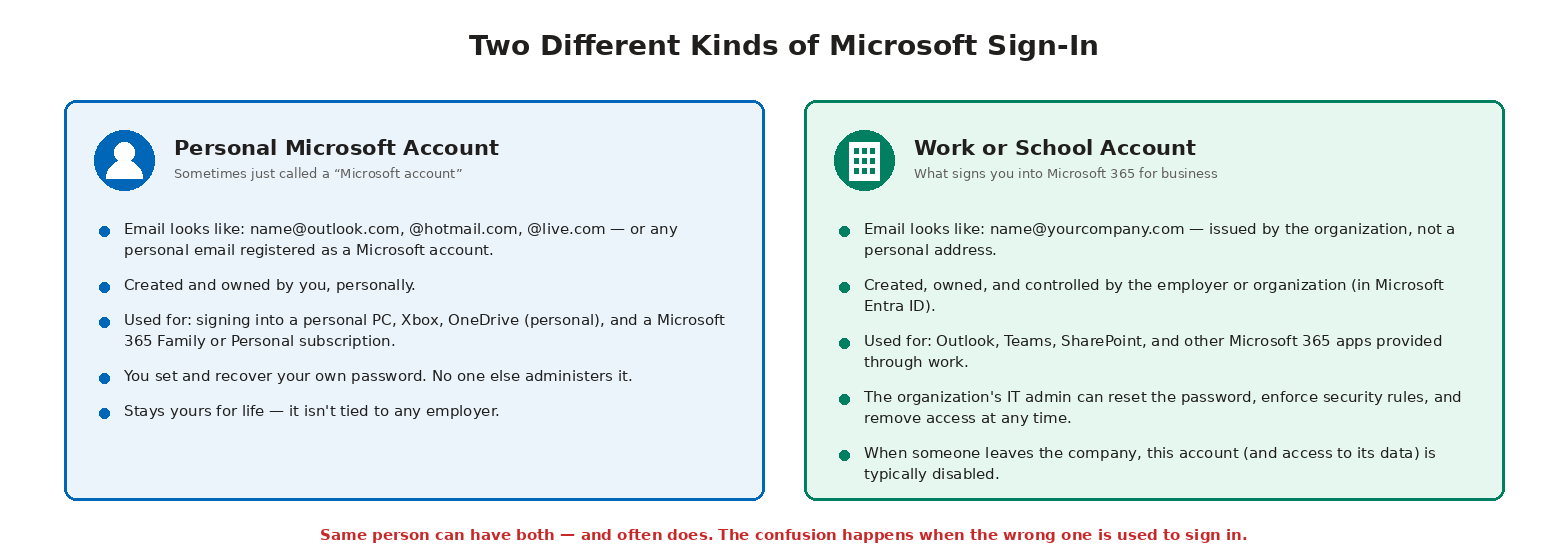
How to tell which one you're signed into
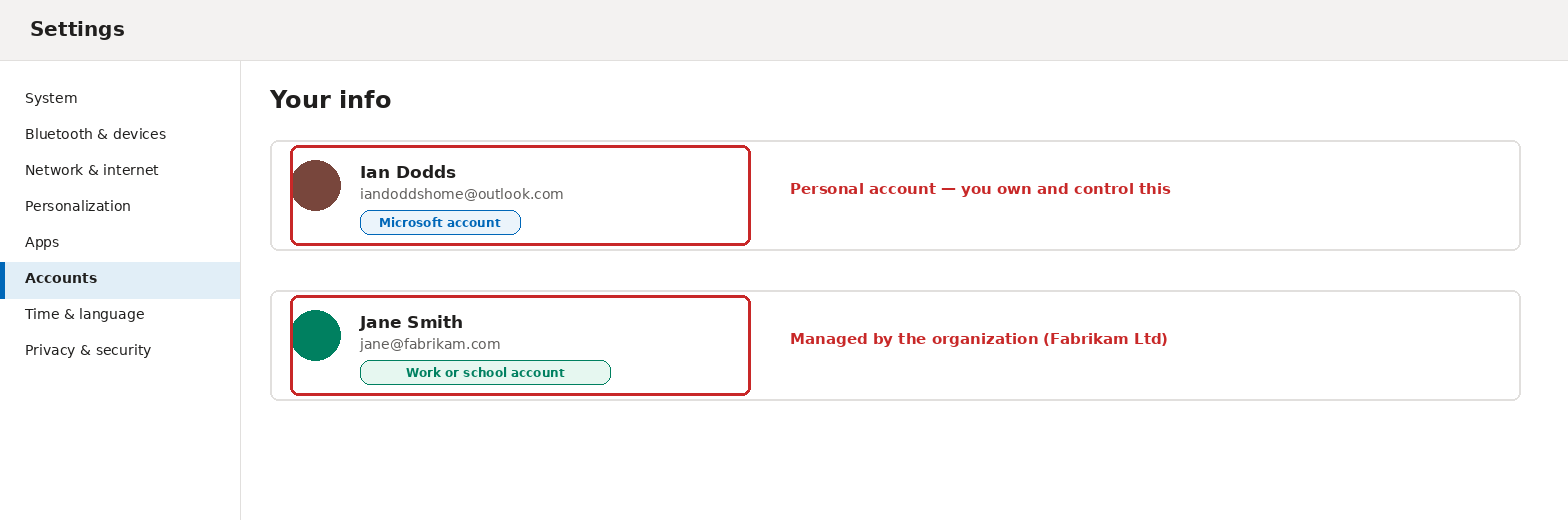
On a Windows PC, go to Settings → Accounts → Your info. The account shown there will be labeled either Microsoft account (personal) or Work or school account (managed by an organization) — and the label tells you everything about who's really in control of it.
Why the difference matters
The most common real-world mix-up is with OneDrive: signing into OneDrive with the wrong account can save files to a personal OneDrive when they were meant for the work one (or vice versa), making them invisible to colleagues or, worse, invisible to the company entirely if that laptop is ever handed back. Signing into Windows itself with a personal account when the company expects a work account can also block access to company resources like email or Teams.
Quick reference
| Personal Microsoft Account | Work or School Account | |
|---|---|---|
| Who owns it | You | Your employer / organization |
| Typical email | name@outlook.com, @hotmail.com | name@yourcompany.com |
| Used for | Xbox, personal OneDrive, Microsoft 365 Family/Personal | Outlook, Teams, SharePoint, Microsoft 365 for business |
| Password reset | You control it | Company IT controls it |
| If you leave the company | Unaffected — it's yours | Typically disabled |
Tips
- It's completely normal (and common) to have both account types on the same PC at the same time.
- When installing Microsoft 365 apps for work, always sign in with the work or school account — not the personal one, even if it's already saved on the device.
- If unsure which OneDrive a file saved to, check the OneDrive icon in the taskbar — it shows the account name and organization (if any) it's synced to.